
A
- A/B test
- Serving two versions of a page to comparable halves of your traffic to see which performs better. Needs enough conversions per variant to reach a conclusion, which is why low-volume sites often cannot run one meaningfully.
- Ad blocker
- Browser extension or network filter that stops requests to known tracking endpoints. A blocked request never reaches GA4, and neither your site nor GA4 records that the block happened.
- Attribute (HTML)
- A named value inside an HTML element, such as the
idorclasson a button. Click triggers usually match on an attribute, which is why renaming one silently breaks tracking. - Attribution
- Assigning credit for a key event to the traffic sources a visitor touched beforehand. GA4’s default model is data-driven, and the model you choose changes how the same conversion is reported.
- Attribution window
- The period after a click or impression during which a conversion still gets credited to it. A conversion outside the window is recorded but attributed elsewhere.
- Audit
- A pass through every tag, trigger, variable, and event to record what each one does, whether it is still needed, and whether it works. Step 2 of the implementation workflow.
- Automatically collected events
- Events the Google tag sends with no configuration from you, including
page_view,session_start, andfirst_visit. Building GTM tags to duplicate them causes double counting. - Auto-tagging
- A Google Ads setting that appends a
gclidto your destination URLs so GA4 can attribute the session to the campaign, ad group, and keyword.
B
- Behavioral modeling
- GA4 estimating the behavior of visitors who declined cookies, using patterns from those who consented. Requires Consent Mode and a minimum traffic volume before it activates.
- BigQuery export
- An optional link that streams raw, event-level GA4 data into BigQuery. The only way to query GA4 data without the sampling and cardinality limits of the reporting interface.
- Bounce rate
- The percentage of sessions that were not engaged, so bounce rate and engagement rate always sum to 100. GA4 has no bounce timer and never decides that a session bounced: it measures engagement, and a bounce is what remains when a session met none of the engaged conditions. Not comparable to the Universal Analytics metric of the same name, which did decide, counting any single-page session as a bounce however long it lasted. A visitor who reads one page for thirty seconds bounced under UA and does not under GA4, so expect GA4 bounce rate to read far lower on identical traffic. Treat a bounce-rate improvement dated to a UA migration as a definitional artifact, not a result.
- Built-in variables
- Variables GTM provides ready-made, such as Page URL and the click variables. Each must be switched on in the container’s Variables section before a tag or trigger can reference it.
C
- Cache
- Stored copies of files a browser already downloaded. On a second page view the browser may reuse cached assets instead of re-requesting them, which is why later pages load faster.
- Cardinality
- The number of distinct values a dimension holds. High-cardinality dimensions, such as full page URLs with query strings, get grouped into “(other)” in GA4 reports once the limit is exceeded.
- CDN (content delivery network)
- A network of geographically distributed servers that deliver your static files from a location near the visitor.
- Click variables
- GTM variables populated when a click trigger is active: Click Text, Click ID, Click Classes, Click URL, Click Element, and Click Target. They exist only inside GTM until you map them into GA4 event parameters.
- Client-side
- Running in the visitor’s browser rather than on a server. Everything described in How Web Analytics Works is client-side, which is why ad blockers and consent settings can interrupt it.
- CMP (consent management platform)
- The tool that presents your cookie banner and records each visitor’s choices. It normally feeds those choices to Google tags through Consent Mode.
- Cohort
- A group of users who share a starting point, usually the week or month of their first visit, tracked over time. Answers whether users acquired in March behave differently from those acquired in June.
- Consent Mode
- Google’s framework for adjusting tag behavior according to consent state. Version 2 adds the
ad_user_dataandad_personalizationsignals required for Google Ads personalization in the EEA and UK. - Container
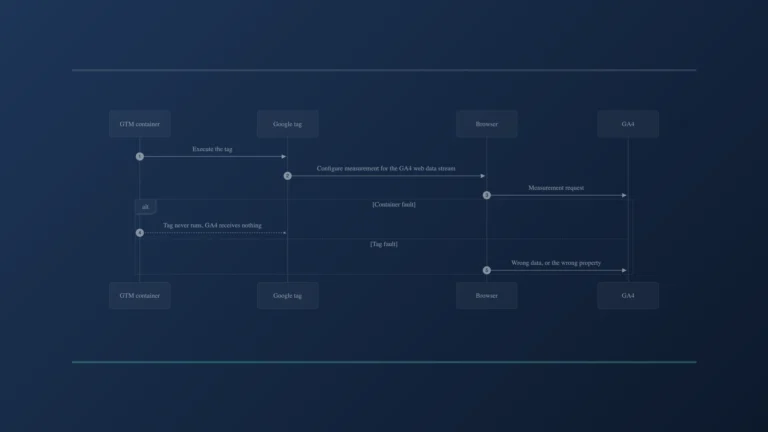
- The GTM unit that holds your tags, triggers, variables, and consent settings, and decides which of them run in the visitor’s browser. It stores no reports and no visitor history.
- Container ID
- Identifies a GTM container, in the format
GTM-XXXXXXX. Distinct from a GA4 Measurement ID. - Container version
- An immutable snapshot created each time you publish. GTM keeps the full history, so you can roll back to any earlier version.
- Conversion
- In Google Ads, an action you count as a result. GA4 renamed its equivalent to “key event” in 2024, so “conversion” in a GA4 context now generally means a key event imported into Google Ads.
- Conversion import
- Bringing GA4 key events into Google Ads as conversions. Requires the two accounts to be linked and the event to be marked as a key event in GA4.
- A small file a site stores in the browser. GA4 uses a first-party cookie to recognise a returning device and to hold a session together.
- Crawler
- Automated software that requests pages to catalogue them, Googlebot being the one that matters for search. Crawlers are excluded from GA4, but poorly behaved ones can still distort server logs and, in volume, GA4 itself.
- Cross-domain measurement
- Configuration that keeps one visit as a single session across two or more domains you own. Without it, each hop starts a new session and your own domain appears as the traffic source.
- CSS
- The stylesheet language controlling how a page looks. Referenced from the HTML and fetched as a separate request.
- CSS class
- A reusable style label applied to page elements, written as
class="cta-button". Useful for click triggers because one class can mark every conversion button on a site, and stable because designers change text more often than classes. - CTR (click-through rate)
- Clicks divided by impressions. In Search Console it describes how often people who saw your result clicked it, which makes it a measure of how appealing your title and description are at the position you hold.
- Custom dimension
- A registered event or user parameter, which makes it available as a dimension in GA4 reports. An unregistered parameter is still collected and visible in DebugView, but it will not appear in standard reports.
- Custom metric
- The numeric equivalent of a custom dimension, registered so a numeric event parameter can be summed or averaged in reports.
D
- dataLayer
- A JavaScript array on your site that passes structured information to GTM. The site pushes an event name and its data, GTM listens and fires the matching tags.
- Data retention
- The GA4 setting controlling how long user-level and event-level data is kept before deletion. Standard properties allow 2 or 14 months, and the limit applies to Explorations rather than to standard reports.
- Data stream
- The source feeding a GA4 property. A web data stream has its own Measurement ID and its own Enhanced Measurement settings.
- DebugView
- A GA4 report showing events arriving from a device in debug mode, event by event, with every parameter. The GA4-side counterpart to GTM Preview mode.
- Dimension
- A descriptive attribute you group numbers by: page path, device, source, country. Dimensions answer “which”, metrics answer “how many”.
- Domain
- The registered name of a site, such as
bhacu.com. Sessions crossing between two domains you own split into two unless cross-domain measurement is configured. - DOM (document object model)
- The browser’s live, in-memory structure of the page, built from the HTML. GTM reads the DOM to resolve click variables, which is why a click trigger depends on the element still being there when the tag fires.
E
- Element
- Any single component of a page: a button, a link, an image, a form field. Click triggers evaluate the element that was clicked.
- Engaged session
- A session meeting any one of three conditions: more than ten seconds of engaged time, at least one key event, or at least two page or screen views. Whichever arrives first settles it, and it cannot be undone, so a session can become engaged two seconds in through a form submission and never reach the timer. Ten seconds is the ceiling on how long that takes, not a waiting period. Engaged time counts only while the tab is in the foreground and active, so a tab opened and left in the background does not accumulate it and wall-clock duration drifts from engaged time whenever someone tabs away. The threshold is configurable per data stream from ten up to sixty seconds, which means identical traffic can produce different engagement rates across two properties.
- Engagement rate
- Engaged sessions divided by total sessions. More useful than bounce rate for judging content, because a single-page visit that held attention counts as a success rather than a failure. Read it alongside the threshold that produced it: raising the engaged-time setting from ten to sixty seconds lowers engagement rate without anything changing on the site.
- Enhanced Measurement
- Optional automatic event collection configured on the data stream rather than in GTM. Can cover page views on history changes, scrolls, outbound clicks, site search, video engagement, file downloads, and form interactions.
- Event
- The unit of measurement in GA4. Everything is an event, including page views, and each one carries parameters.
- Event parameter
- A key and value attached to an event, such as
page_locationorbutton_text. Custom parameters need registering as custom dimensions or metrics before they reach standard reports. - Explorations
- GA4’s ad-hoc analysis area, offering funnel, path, segment overlap, and free-form techniques that standard reports do not provide.
F
- first_visit
- An automatically collected event marking the first recorded visit from a browser or device.
- Funnel
- An ordered sequence of steps toward a conversion, with the drop-off between each measured. Funnel exploration in GA4 shows where people leave, which is where the fixing is worth doing.
G
- GA4 Configuration Tag
- The older GTM tag type for initializing GA4, since replaced by the Google tag. Older containers may still contain one.
- GA4 Event tag
- The GTM tag type that sends a named event, with whatever parameters you map, to a GA4 property.
- gclid
- Google Click Identifier. A parameter auto-tagging appends to an ad’s destination URL, letting GA4 tie the resulting session back to the ad that produced it.
- Googlebot
- Google’s crawler. It fetches your pages for the search index, independently of your tags, and its visits are excluded from GA4.
- Google tag
- The tag that configures measurement and sends data to Google destinations such as GA4. It carries the Measurement ID. Different from the container, which executes it.
- Governance
- The defined path a measurement change takes: how it is requested, who reviews it, what QA it needs, who approves the publish, and where it is recorded. Step 9 of the implementation workflow.
- gtm.click, gtm.linkClick
- GTM’s internal click events. A trigger listening to all elements produces the first, a trigger listening only to links produces the second. Neither reaches GA4 by itself.
- gtm.js
- Both the container resource the browser fetches from Google and the internal event name GTM Preview mode shows as Container Loaded.
H
- head, body
- The two main sections of an HTML document. GTM’s JavaScript snippet belongs high in the
head; itsnoscriptfallback goes immediately after the openingbodytag. - Heatmap
- A visual overlay showing where visitors clicked, moved, or stopped scrolling on a page. Produced by tools such as Microsoft Clarity or Hotjar rather than GA4, and useful for explaining why a funnel step loses people.
- History change
- An update to the browser’s history or URL without a full page load. The mechanism behind navigation in single-page applications, and a GTM trigger type.
- HTML
- The document a server returns describing a page’s content and structure, including references to the other files the browser needs.
- HTTP and HTTPS
- The protocol a browser uses to request a page. HTTPS is the encrypted form and is now the default expectation; serving a page over plain HTTP costs you both rankings and browser trust warnings.
- HTTP request
- A browser asking a server for one specific resource. Every page, script, image, and measurement hit is a separate request.
I
- iframe
- An embedded frame holding a separate document. GTM’s
noscriptfallback uses one, and it cannot execute JavaScript-based tags. - Impression
- One appearance of your listing in a result set. Search Console counts an impression whether or not the visitor scrolled far enough to see it, so impressions rise with visibility rather than with attention.
- Impressions, clicks, position
- Search Console metrics describing how your pages performed in search results. Recorded by Google Search, not by anything on your site, so they will never reconcile with GA4 sessions.
- Initialization trigger
- A GTM trigger that fires earlier than All Pages, intended for tags that must run before anything else. Consent Initialization runs earlier still.
J
- JavaScript
- The language that makes pages interactive and the language GTM and GA4 are built on. With JavaScript unavailable, GA4 measurement generally does not work.
K
- Key event
- GA4’s term since 2024 for an action you count as a business result. You mark an event as a key event in Admin; sending the event alone does not make it one.
- KPI
- Key performance indicator. The measurable expression of a business goal, and the bridge between the goal statement and the events GA4 collects.
L
- Lead
- A contact who has expressed interest, usually by submitting a form or calling. What counts as a lead is a business decision, not a technical one, which is why the goal statement in Step 1 has to define it before anything gets measured.
M
- Measurement ID
- Identifies a GA4 web data stream, in the format
G-XXXXXXXXXX. Distinct from the numeric Property ID and from a GTM Container ID. - Measurement plan
- A goals-to-KPIs table in business language, naming what will be measured without naming tools. Step 3 of the implementation workflow.
- Metric
- A number: sessions, users, key events, revenue. Metrics are what you count, dimensions are how you slice them.
- Micro-conversion
- A smaller action that signals intent without being the goal itself, such as viewing a pricing page or starting a form. Useful for diagnosing a funnel, and a mistake to report as though it were a lead.
N
- Network request
- One round trip from the browser to a server asking for something. A page load involves dozens; a GA4 measurement hit is one of them, which is what an ad blocker intercepts.
- noscript
- An HTML element whose contents display only when JavaScript is unavailable. GTM’s second snippet uses one as a limited fallback.
P
- page_location, page_title, page_referrer
- Parameters GA4 populates on a
page_viewautomatically: the full URL, the page title from the HTML, and the URL the visitor arrived from where one is available. - page_view
- The event GA4 collects automatically when a page loads under standard configuration. You do not build a GTM tag for it.
- Parse
- Reading a document and turning it into structure the browser can act on. The browser parses HTML top to bottom, which is why the position of a script in the document decides when it runs.
- Pixel
- A tracking tag from an advertising platform, named for the invisible one-pixel image the technique originally used. Meta pixel and LinkedIn Insight Tag are pixels, and they are deployed through GTM like any other tag.
- Preview mode
- GTM’s debug mode, showing every internal event in sequence with the tags that fired, the triggers that matched, and the values carried. Reflects your draft workspace, not the published container.
- Production and staging
- The live site real visitors reach, versus a copy used for testing. Sending staging traffic to a production GA4 property is a common and quiet way to contaminate a dataset.
- Property
- The GA4 container for your data and reporting configuration. One property can receive several data streams.
- Publish
- Making a GTM workspace live as a new container version. Until you publish, your changes affect nobody; once you publish, they affect every visitor at once.
Q
- QA (quality assurance)
- Verifying every event in the tracking plan in Preview mode and DebugView before publishing. Step 7 of the implementation workflow.
- Query string
- The part of a URL after a question mark, carrying parameters such as
gclidor UTM tags. A common reason a trigger that works elsewhere fails on a particular page.
R
- Realtime report
- The GA4 report covering roughly the last thirty minutes. The fastest way to confirm a configuration change is working.
- Recommended events
- Event names Google publishes for common actions, such as
generate_lead,sign_up, andpurchase, each with a defined parameter schema. Using them unlocks predefined dimensions and metrics that custom names do not. - Regex (regular expression)
- A pattern-matching syntax used in GTM trigger conditions and GA4 filters to match many values with one rule. Powerful, and easy to write in a way that matches more than you intended.
- Render
- Turning parsed HTML, CSS, and JavaScript into what appears on screen. Render-blocking resources pause this, delaying both what the visitor sees and when GTM initializes.
- Render-blocking
- A script or stylesheet that pauses HTML parsing until it finishes loading. Placed above the GTM snippet, it delays measurement.
- Rollback
- Reverting to an earlier published version after a problem appears. GTM keeps every container version, which is what makes a rollback possible and why version names and change notes matter.
S
- Sampling
- Reporting on a subset of data and extrapolating. GA4 standard reports are unsampled; Explorations can apply sampling on large datasets, and will say so when they do.
- Script
- A file or block of JavaScript the browser executes. The GTM installation snippet is a script, as is everything GTM loads afterward. A script placed above GTM in the document delays it.
- scroll
- An Enhanced Measurement event fired when a visitor reaches 90 percent of page depth.
- Search Console
- Google’s report on your performance in search results. It requires no tag, receives nothing from your container, and linking it to GA4 surfaces its reports there without merging the two datasets.
- Segment
- A subset of users, sessions, or events defined by conditions, such as “mobile visitors from paid search who did not convert”. Segments are how you compare behaviour between groups rather than reading one average.
- Self-referral
- Your own domain appearing as a traffic source. Almost always a domain or subdomain missing from your cross-domain configuration.
- Server
- The machine that answers a browser’s request with a page. Your web server returns HTML; Google’s servers return the GTM container and receive GA4 measurement requests.
- Server-side tagging
- A GTM variant where a container you host receives data and forwards it onward, rather than tags calling Google directly from the browser. Out of scope for this post, which describes client-side GTM.
- Session
- A group of events from one visitor within one period of activity. Sessions time out after thirty minutes of inactivity by default.
- Sessionization
- GA4’s processing step that groups incoming events into sessions and decides where one session ends and the next begins.
- session_start
- An automatically collected event marking the beginning of a session.
- Smart Bidding
- Google Ads bid strategies that optimize automatically using conversion data. Their quality depends directly on whether your conversion definitions are correct.
- Snippet
- A short block of code copied into a site to install something, GTM’s two snippets being the example throughout these documents. Also called a code snippet. The word implies you paste it rather than write it.
- SPA (single-page application)
- A site where JavaScript replaces page content instead of loading a new HTML document. Page views depend on history-change detection rather than on page loads.
- Stakeholder
- Anyone whose decisions depend on the measurement or whose work it describes. Naming them matters in Step 1, because a measurement plan agreed by one person tends to fail on contact with the others.
- Subdomain
- A prefix on a domain, such as
shop.example.comorwww.example.com. Treated as a separate host by browsers and by GA4, so subdomains need cross-domain configuration to hold one session together.
T
- Tag
- A piece of code the container executes when a trigger matches. A Google tag, a GA4 Event tag, and a third-party pixel are all tags.
- Tracking plan
- The specification naming every event, its parameters, their sources, and the naming rules. The technical contract between analytics and development. Step 4 of the implementation workflow.
- Trigger
- A rule stating when a tag becomes eligible to fire. Without a matching trigger, a tag never runs.
U
- user_engagement
- An automatically collected event indicating a visitor spent meaningful time on a page, sent when the page loses focus or is closed.
- UTM parameters
- Tags appended to a URL to label a campaign, such as
utm_sourceandutm_medium. GA4 reads them to attribute the session. Inconsistent capitalization creates duplicate rows in reports, so they need a written convention.
V
- Variable
- A named placeholder GTM resolves to a value at runtime, used inside triggers and tags rather than hard-coding.
- Viewport
- The visible area of a page on a given screen. Worth testing triggers in a mobile viewport, since layouts and click targets change and a trigger that works on desktop can miss.
W
- Workspace
- A draft area in GTM where you build and test. Nothing in a workspace reaches a visitor until it is published.